
















How to Set Up the Perfect Home Office in 2026: Desks, Chairs & Storage
Posted by OfficeAnything on Jun 26th 2026

Remote and hybrid work have shifted from temporary workaround to permanent fixture. If you're still working from a kitchen table or a corner you carved out of a spare bedroom without much thought, 2026 is the year to fix that. A well-designed home office is measurably more productive. This guide walks through every element you need — from choosing the right desk to getting your ergonomics right — with specific product recommendations available now at OfficeAnything.com.
Step 1: Choose the Right Desk
Before picking a desk, answer these: How much surface area do you actually need? Do you want to sit or stand? How much storage do you need within arm's reach?
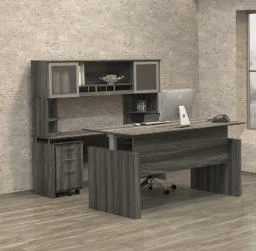
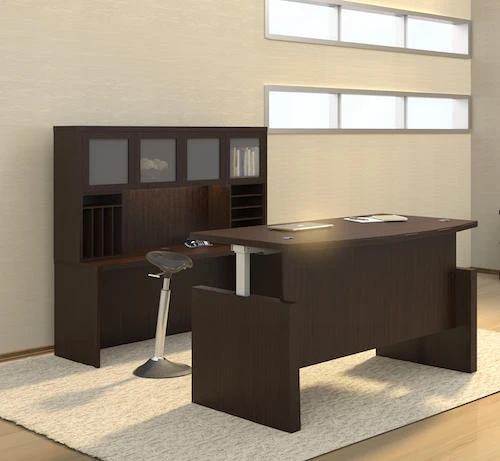
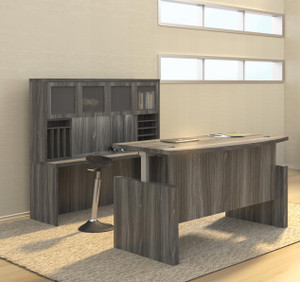
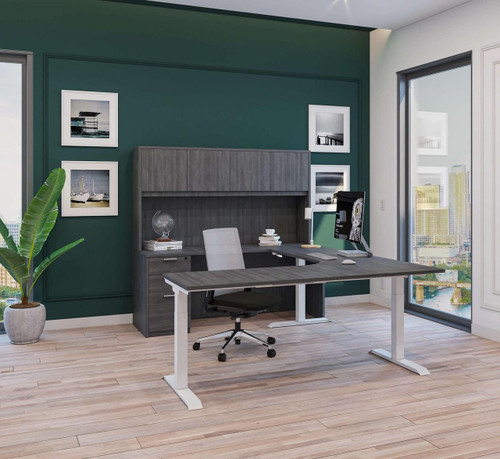
Best for Maximum Workspace: i5 Industries Height Adjustable U-Shaped Desk with Hutch — $2,122

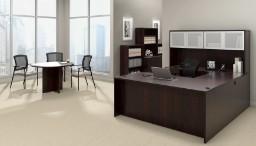
A full wrap-around work surface, built-in hutch storage, and a height-adjustable frame that switches between sitting and standing at the push of a button. The U-shape creates natural workspace organization: primary monitor center, secondary screens on the return, storage above. Many U-shaped desks are fixed-height — this one solves that problem. Best for full-time remote professionals who want maximum workspace. View Product →
Best Focused Setup: i5 Industries iRize Height Adjustable Ergonomic Executive Desk — $2,222
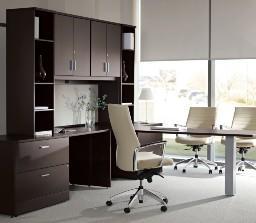
A clean straight executive desk with a height-adjustable frame and built-in USB charging ports — no adapter tangle, no cluttered surface. Generous height range works for both short and tall users. Looks professional on video calls. Best for remote professionals who want a minimal, screen-centric workspace. View Product →
Best Mid-Range: i5 Industries Kai Straight Front Reversible U-Desk — $1,247

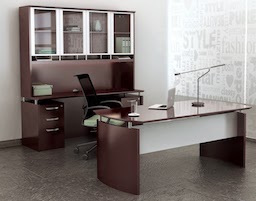
The most accessible of the three options without sacrificing surface space. Reversible return panel — left or right side — fits your room layout. Kai collection laminate holds up well to daily use. Smart choice for anyone who wants executive desk footprint without the premium price of height adjustment. View Product →
Step 2: Get Your Chair Right
A great desk paired with a bad chair produces a bad home office. The chair affects your posture, energy, and long-term spinal health more than any other piece of furniture. Look for adjustable lumbar support, seat height, and armrests. If budget allows, add a seat slider. For most home office users, a chair in the $300–$500 range delivers everything needed without overspending. See our full guide: Best Ergonomic Office Chairs of 2026.
Step 3: Monitor Placement
The top of your primary monitor should be at or just below eye level, roughly arm's length away. If you use two monitors equally, center both; if one is primary, center that one and angle the secondary toward you. Position monitors perpendicular to windows — not facing or backing them — to avoid glare. A monitor arm is one of the cheapest upgrades with the biggest payoff in posture and desk space.
Step 4: Plan Your Storage in Three Tiers
- Immediate reach — daily-use items on your desktop or in a top drawer
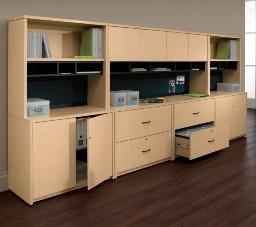
- Secondary reach — weekly-use items in a hutch above the desk or a lateral file cabinet beside it
- Archival — occasional-use files in a separate cabinet away from your primary workspace
The i5 U-Desk with Hutch handles your secondary storage tier automatically. If you chose a straight desk, add a lateral file cabinet or freestanding storage tower to cover it.
Step 5: Control Your Lighting
Layer your lighting: ambient (ceiling), task (desk lamp), and natural light — never rely on a single overhead source. Cool white light (5000–6500K) promotes alertness for morning sessions; warmer light (2700–3000K) suits late afternoon. If you sit with a window behind you, your camera will silhouette you on video calls — reposition your desk so the window is in front or to the side.
Home Office Checklist
- Desk with adequate surface space for your work style
- Ergonomic chair with lumbar support and adjustable armrests
- Monitor at eye level, arm's length away
- Organized storage within reach for daily-use items
- Layered lighting without camera backlighting
- Cable management to keep the workspace clean
- Dedicated work zone mentally separate from your living space
Frequently Asked Questions
What is the most important piece of home office furniture?
The chair. You can work from a smaller or narrower desk — but a bad chair creates physical problems that compound over months and years. Invest in the best chair your budget allows first.
How much space do I need for a home office?
A functional single-person setup works in as little as 50–60 square feet. A U-shaped desk typically needs at least 10' x 10'. A straight desk with clearance needs about 6' x 8' minimum.
Is a U-shaped desk worth it?
Yes, if your work involves multiple screens or spreading out physical materials. If you primarily work from a laptop with one external monitor, a straight desk gives you everything you need at a smaller footprint and lower cost.
Do I need a height-adjustable desk?
Not everyone does, but most people who get one don't go back. Alternating between sitting and standing reduces fatigue and has documented lower-back health benefits. Worth the investment for a long-term home office setup.
What's a good budget for a complete home office?
A solid functional setup starts around $800–$1,200. A fully optimized setup with a height-adjustable desk, premium ergonomic chair, and organized storage typically runs $2,000–$3,500. Commercial-grade furniture at these price points lasts significantly longer than big-box alternatives.